
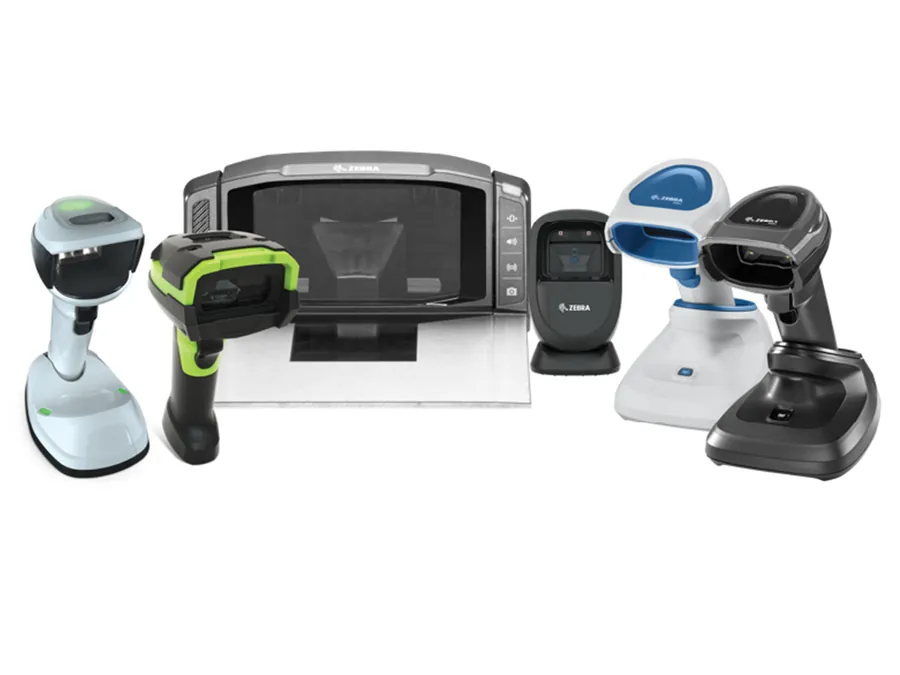
Barcode Scanners
- Handheld Scanners
- 1D / 2D Imagers
- Presentation Scanners
- Wearable Scanners
- Fixed Mount Scanners
- OEM Batteries & Accessories
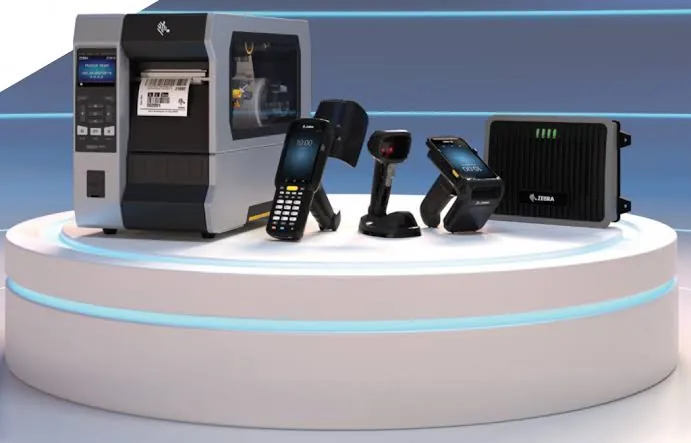
Keep your business moving with fast, reliable repair services for barcode scanners, mobile computers, POS printers, thermal printers and warehouse equipment.
Component-level repairs by skilled technicians using proven processes and OEM-grade parts.
Scalable repair programs for single units to large fleets. Lower your total cost of ownership.
Rigorous testing to OEM standards ensures reliability and performance.
Cost-effective repairs that add years of life to your equipment and reduce e-waste.
Professional repairs cost significantly less than replacement.
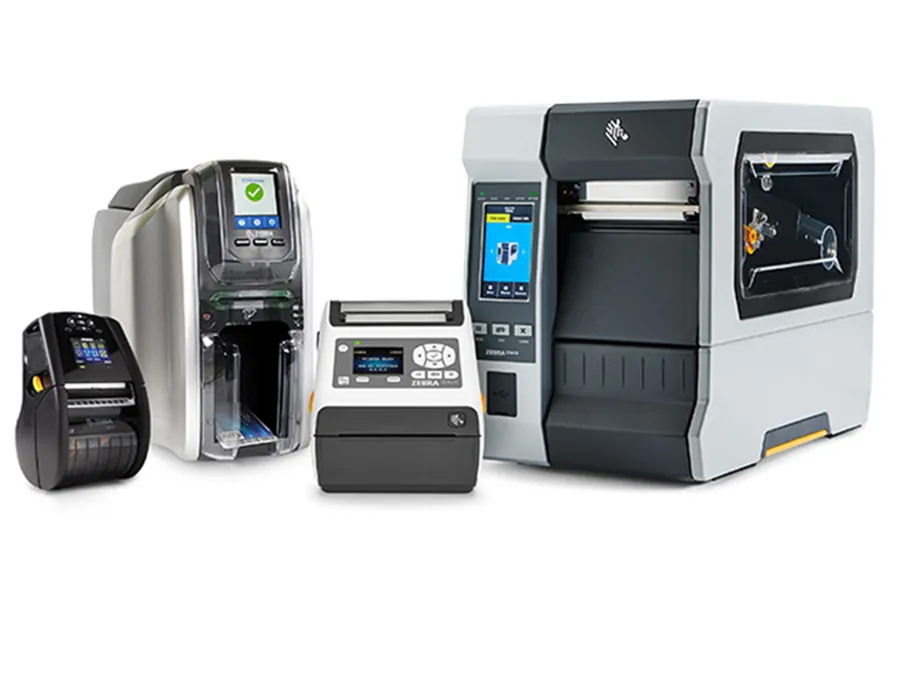

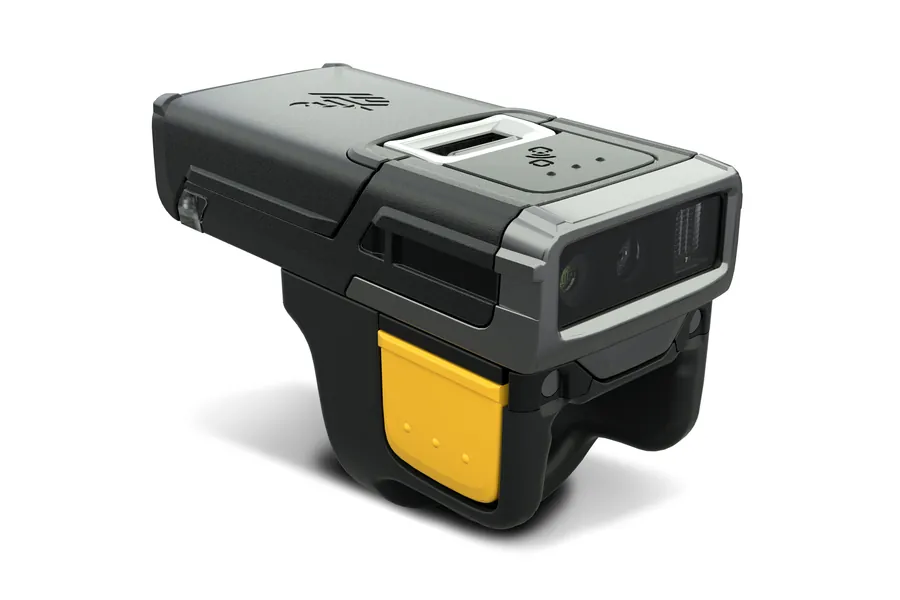





Most operations run a mixed fleet. Zebra handhelds on the floor, Honeywell scanners at the counter, Datalogic at the packing bench, and older Intermec and Symbol units still doing the job years after the manufacturer moved on. We repair all of it. Honeywell equipment is a substantial part of what comes through our depot, and we service the full range: handheld and presentation scanners, mobile computers, and industrial label printers. Sending scanners to one vendor and printers to another is a cost that rarely gets accounted for. One repair partner for the whole fleet is simpler and it is less expensive.
Repair costs are typically a fraction of replacement.
Fast turnaround gets your devices back in service.
Reduce e-waste and extend the life of your equipment.
Every unit is tested to meet OEM performance standards.
Most equipment that reaches our bench arrives with one of a handful of faults. Some of them you can clear yourself in two minutes. Some of them need a technician. Here is how to tell the difference before you ship anything.
A scanner that lights up but will not read is almost always one of four things: a failed scan engine, a scratched or fogged exit window, a loose or broken flex cable, or a corrupted configuration.
Start with the configuration, because it is free. Most scanners can be returned to factory defaults by scanning a reset barcode from the manufacturer's configuration guide. If the device reads that barcode, the optics are working and you have a settings problem, not a hardware problem.
If it will not read the reset barcode either, look at the exit window under a light. Years of abrasion in a warehouse will fog it enough to stop a read. Beyond that, a scan engine or a flex cable is a bench repair. Those are among the most common jobs we do, and on most models they are straightforward.
Nine times out of ten this is the battery, not the device, and it is the cheapest thing on this page to fix.
Enterprise batteries are consumables. Under heavy multi-shift use they wear out well before the device does, and manufacturers themselves list battery failure as a leading cause of device failure in the field.
Before replacing anything, try a known-good battery from another unit and clean the charging contacts on both the device and the cradle. Warehouse dust builds up on contacts and mimics a dead battery convincingly. If a fresh battery and clean contacts do not fix it, the charging port or the charging circuit has failed, and that is a bench repair.
A cracked screen does not mean the device is finished, and a device with an unresponsive screen is often not cracked at all.
The display and the digitizer are two separate layers. The display shows the image, the digitizer registers the touch, and they fail independently. A device that shows a perfect picture but ignores your finger has a digitizer fault. A device that responds to touch in the right places but shows a broken or blank image has a display fault. Either can be replaced without the other on most models.
Send us the model and tell us which of those two it is doing. It changes the repair and it changes the cost.
Pairing failures are usually configuration, not hardware, and configuration is the free fix.
Ring scanners and cordless imagers pair by scanning a pairing barcode, which is normally printed on the cradle or in the quick-start guide. If the device has been paired to a different host, it will keep trying to reach that host until it is re-paired. Re-scan the pairing barcode and confirm the battery has real charge, because a low battery will connect and then drop repeatedly in a way that looks like a pairing fault.
If it still will not pair with a charged battery and a fresh pairing barcode, the radio module or the antenna connection has failed and it needs a bench.
Print quality faults split into three groups, and only one of them needs a technician.
Faded print across the whole label is usually media or settings: the wrong label stock for the printer, a ribbon in backwards on a thermal transfer unit, or darkness and speed set wrong for the media. Check those first.
A consistent white line or streak in the same place on every label is a burnt-out printhead element. That does not recover and the printhead needs replacing. It is one of the most common printer repairs we do.
Blank labels, garbled characters or random symbols point at the data path rather than the print mechanism: a driver mismatch, a corrupted firmware state, or a failing communication board. Reinstalling the correct driver and power-cycling clears a good share of these. What is left is a bench repair.
Before you send anything anywhere, it is worth thirty seconds to work out who should be paying for the repair. There are four situations and only two of them are ours.
A standard manufacturer product warranty typically runs twelve months from shipment and covers manufacturing defects. It does not cover normal wear, and it does not cover accidental damage.
Go to the manufacturer.
If a support contract was purchased with the device and is still running, your repair is already paid for.
Use it.
These contracts generally have to be bought within thirty days of buying the device, so if nobody bought one at the time, it is not available now. If a contract has lapsed, reinstating it usually means an inspection or a higher rate.
Talk to us.
The manufacturer has stopped supporting the model, or the warranty has simply run out. This is the majority of what we see.
Talk to us.
Not sure which one you are? Tell us the model and roughly when it was bought, and we will tell you.
A device reaching manufacturer end-of-life does not mean it has stopped working. It means the manufacturer has stopped supporting it. That is usually the point at which repair stops being a cost and starts being the obvious decision.
| Device Type | Series | Model | Manufacturer Status | Faults We See Most |
|---|---|---|---|---|
| Rugged Mobile Scanners | MC90xx Series | Zebra MC9090 | Long end-of-life | Scan engine failure, keypad wear, battery and charging faults |
| Rugged Mobile Scanners | MC91xx Series | Zebra MC9190 | Long end-of-life | Scan engine failure, keypad wear, battery and charging faults |
| Rugged Mobile Scanners | MC91xx Series | Zebra MC9190-G | Long end-of-life | Scan engine failure, keypad wear, battery and charging faults |
| Rugged Mobile Scanners | MC91xx Series | Zebra MC9190-Z | Long end-of-life | Scan engine failure, RFID module faults, battery and charging faults |
| Advanced Enterprise Mobility | MC92xx Series | Zebra MC9200 | Long end-of-life | Scan engine failure, keypad wear, display and battery faults |
| Advanced Enterprise Mobility | MC92xx Series | Zebra MC92N0 | Long end-of-life | Scan engine failure, keypad wear, display and battery faults |
| Advanced Enterprise Mobility | MC93xx Series | Zebra MC9300 | End-of-life 2024–2025 · replaced by MC9400 / MC9450 | Cracked display, scan engine failure, keypad wear, charging faults |
| Advanced Enterprise Mobility | MC93xx Series | Zebra MC9300-G | End-of-life 2024–2025 · replaced by MC9400 / MC9450 | Cracked display, scan engine failure, keypad wear, charging faults |
| Touch Mobile Computers | TC5 Series | Zebra TC51 | End-of-life · replaced by TC53 | Cracked screen and digitizer, charging port, battery, will not scan |
| Touch Mobile Computers | TC5 Series | Zebra TC52 | End-of-life 2024–2025 · replaced by TC53 | Cracked screen and digitizer, charging port, battery, will not scan |
| Touch Mobile Computers | TC5 Series | Zebra TC52X | End-of-life 2024–2025 · replaced by TC53 | Cracked screen and digitizer, charging port, battery, will not scan |
| Touch Mobile Computers | TC5 Series | Zebra TC57 | End-of-life 2024–2025 · replaced by TC58 | Cracked screen and digitizer, charging port, battery, will not scan |
| Touch Mobile Computers | TC5 Series | Zebra TC57X | End-of-life 2024–2025 · replaced by TC58 | Cracked screen and digitizer, charging port, battery, will not scan |
| Touch Mobile Computers | TC5 Series | Zebra TC58 | Current generation | Accidental damage, charging port, battery |
| Touch Mobile Computers | TC7 Series | Zebra TC70 | End-of-life · replaced by TC72 / TC73 | Cracked screen and digitizer, charging port, battery, will not scan |
| Touch Mobile Computers | TC7 Series | Zebra TC72 | End-of-life 2024–2025 · replaced by TC73 | Cracked screen and digitizer, charging port, battery, will not scan |
| Touch Mobile Computers | TC7 Series | Zebra TC72X | End-of-life 2024–2025 · replaced by TC73 | Cracked screen and digitizer, charging port, battery, will not scan |
| Touch Mobile Computers | TC7 Series | Zebra TC75 | End-of-life · replaced by TC77 / TC78 | Cracked screen and digitizer, charging port, battery, will not scan |
| Touch Mobile Computers | TC7 Series | Zebra TC77 | End-of-life 2024–2025 · replaced by TC78 | Cracked screen and digitizer, charging port, battery, will not scan |
| Touch Mobile Computers | TC7 Series | Zebra TC77X | End-of-life 2024–2025 · replaced by TC78 | Cracked screen and digitizer, charging port, battery, will not scan |
| Warehouse Gun Terminals | TC8000 Series | Zebra TC8000 | End-of-life · replaced by TC8300 | Scan engine failure, display, trigger mechanism, battery |
| Warehouse Gun Terminals | TC8300 Series | Zebra TC8300 | Current generation | Scan engine failure, display, trigger mechanism, battery |
| Warehouse Gun Terminals | TC8300 Series | Zebra TC8300-NB | Current generation | Scan engine failure, display, trigger mechanism |
| Warehouse Gun Terminals | WT6000 Series | Zebra WT6300 | Current generation | Display, strap and mount damage, charging faults, pairing failures |
| Hands-Free Ring Scanners | RS Ring Scanner Series | Zebra RS4000 | Long end-of-life · replaced by RS5100 | Cable and strain-relief failure, scan engine, trigger wear |
| Hands-Free Ring Scanners | RS Ring Scanner Series | Zebra RS507 | End-of-life · replaced by RS5100 / RS6000 | Will not pair, battery, trigger wear, scan engine |
| Hands-Free Ring Scanners | RS Ring Scanner Series | Zebra RS5100 | Current generation | Will not pair, battery, trigger wear, scan engine |
| Hands-Free Ring Scanners | RS Ring Scanner Series | Zebra RS6000 | Current generation | Will not pair, battery, trigger wear, scan engine |
| Desktop Thermal Printers | GC420t Series | Zebra GC420t | End-of-life · replaced by ZD220 / ZD230 | Printhead burnout, faded or streaked print, feed and jam faults |
| Desktop Thermal Printers | GK Series | Zebra GK420t | End-of-life · replaced by ZD420 / ZD421 | Printhead burnout, faded or streaked print, feed and jam faults |
| Desktop Thermal Printers | GX Series | Zebra GX420t | End-of-life · replaced by ZD420 / ZD421 | Printhead burnout, faded or streaked print, platen roller wear |
| Desktop Thermal Printers | GX Series | Zebra GX430t | End-of-life · replaced by ZD620 | Printhead burnout, faded or streaked print, platen roller wear |
| Mobile Label Printers | QLn220 Series | Zebra QLn220 | End-of-life · replaced by ZQ511 / ZQ611 | Printhead wear, battery, latch and belt-clip damage, Bluetooth drops |
| Mobile Label Printers | QLn320 Series | Zebra QLn320 | End-of-life · replaced by ZQ521 / ZQ621 | Printhead wear, battery, latch and belt-clip damage, Bluetooth drops |
| Mobile Label Printers | ZQ Series | Zebra ZQ210 | Current generation | Printhead wear, battery, feed faults |
| Mobile Label Printers | ZQ Series | Zebra ZQ220 | Current generation | Printhead wear, battery, feed faults |
| Mobile Label Printers | ZQ Series | Zebra ZQ310 | Current generation | Printhead wear, battery, Bluetooth drops |
| Mobile Label Printers | ZQ Series | Zebra ZQ320 | Current generation | Printhead wear, battery, Bluetooth drops |
| Mobile Label Printers | ZQ Series | Zebra ZQ510 | End-of-life · replaced by ZQ511 | Printhead wear, battery, latch damage, Bluetooth drops |
| Mobile Label Printers | ZQ Series | Zebra ZQ520 | End-of-life · replaced by ZQ521 | Printhead wear, battery, latch damage, Bluetooth drops |
| Mobile Label Printers | ZQ Series | Zebra ZQ610 | End-of-life · replaced by ZQ611 | Printhead wear, battery, latch damage, Bluetooth drops |
All 41 models listed. Scroll the table to see them all.
We also repair equipment from Honeywell, Datalogic, Intermec and Symbol, including handheld and presentation scanners, mobile computers and industrial label printers from our depot in Glendale Heights, Illinois, serving customers nationwide. Do not see your model listed? Send us the model number and a description of the issue and our technicians will determine repairability and provide a quote.
We receive your equipment, inspect and diagnose the issue, and provide a transparent quote.
Our technicians repair or replace failed components using high-quality parts and proven procedures.
Every unit is fully tested to ensure it meets or exceeds OEM performance standards.
Your equipment is securely packaged and shipped back, ready to perform.
Usually, yes. A scanner that powers on but will not read is most often one of four things: a failed scan engine, a scratched or fogged exit window, a loose or broken flex cable, or a corrupted configuration. A configuration fault can often be cleared yourself with a factory-reset barcode from the manufacturer's guide, and that costs nothing to try. The other three are physical failures that need a bench. If a reset does not fix it and the device still powers on, send us the model and a description of what it does and does not do, and we will tell you which one it is.
We repair a wide range of devices including handheld scanners, 1D/2D imagers, wearable scanners, mobile computers, POS printers, thermal printers, label printers, mobile printers, print engines and warehouse equipment.
Yes. We support many Zebra models and series including MC90xx, MC91xx, MC92xx, MC93xx, TC52, TC57, TC58, TC72, TC77, TC8300 and WT6300 series scanners, GC420t, QLn220, QLn320 and ZQ series printers, and more.
Yes. We repair equipment from leading manufacturers including Honeywell, Datalogic, Intermec, Symbol and many others.
Yes. Provide your device model and a description of the issue. Our technicians will determine repairability and provide a quote.
No scan, intermittent scanning, trigger failure, broken screens, keypad issues, battery not charging, connectivity problems, boot errors, damaged housings and more.
Paper feed issues, poor print quality, faded prints, print head failures, communication errors, power issues, error codes and more.
Yes. Out-of-warranty and end-of-life equipment is one of our specialties.
There are four states and only two of them come to us. A standard manufacturer product warranty typically runs twelve months from shipment and covers manufacturing defects, not normal wear and not accidental damage. A service contract, if one was purchased, covers more, but these contracts generally have to be bought within thirty days of the device, so if nobody bought one at the time it is not there now. If a contract has lapsed, reinstating it usually requires an inspection or a higher rate. If your device is out of warranty, uncovered, or the manufacturer has declared it end-of-life, independent depot repair is the practical option and that is what we do.
Yes. We offer rush repair options to minimize downtime. Contact us to discuss your timeline.
Yes. We offer fleet and volume repair programs with customized solutions for your business.
Turnaround time depends on the issue and parts availability. Most repairs are completed within 3 to 7 business days.
Contact us online or by phone with your device model or series, quantity and a description of the issue, and we will respond with a quote.
We are located at 55 W Army Trail Road, Suite 101, Glendale Heights, IL 60108, and we service customers nationwide.
Request a fast, no-obligation repair quote today.