
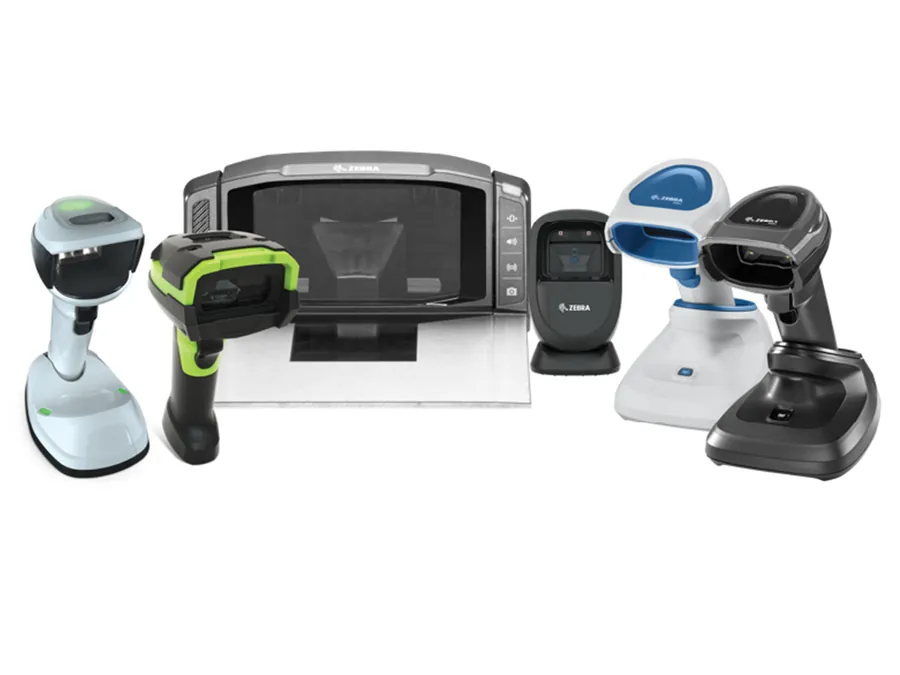
Quick answer: When a Zebra scanner powers on but will not scan, the cause is usually configuration, not hardware. Restart the device and run an Enterprise Reset, check the DataWedge profile, scan the factory-default barcode, confirm the barcode type (symbology) is enabled, and try a known-good battery. If the scanner still will not read after those five checks, the scan engine, flex cable, trigger or radio module has failed, and the device needs a bench repair.
Already tried a reset? Send it to our bench.
ATS repairs Zebra barcode scanners and mobile computers, including models Zebra no longer supports. Tell us the model and what it is doing, and we will quote the repair.
✓ 40+ years in electronics repair ✓ ISO 9001 certified ✓ Single units or full fleets
Jump to
A Zebra scanner that powers on but will not read a barcode is the single most common device that reaches our repair bench. It is also the fault most often sent in for repair when nothing was actually broken.
A good share of the "not scanning" units we see could have been cleared on the floor in a few minutes. The rest have a physical failure that no reset will touch. This guide walks through both, in the order a technician would check them, so you can tell which one you have before you ship anything.
It covers the Zebra mobile computers and scanners we repair most: the MC9090, MC9190, MC92N0 and MC9300 gun-style terminals, the TC51, TC52, TC57, TC70, TC72 and TC77 touch computers, the TC8000 and TC8300 warehouse guns, the RS507, RS5100 and RS6000 ring scanners, and the WT6300 wearable. Every model, with its manufacturer lifecycle status, is listed on our barcode scanner repair page.
Why is my Zebra scanner not scanning? Start with what it is doing
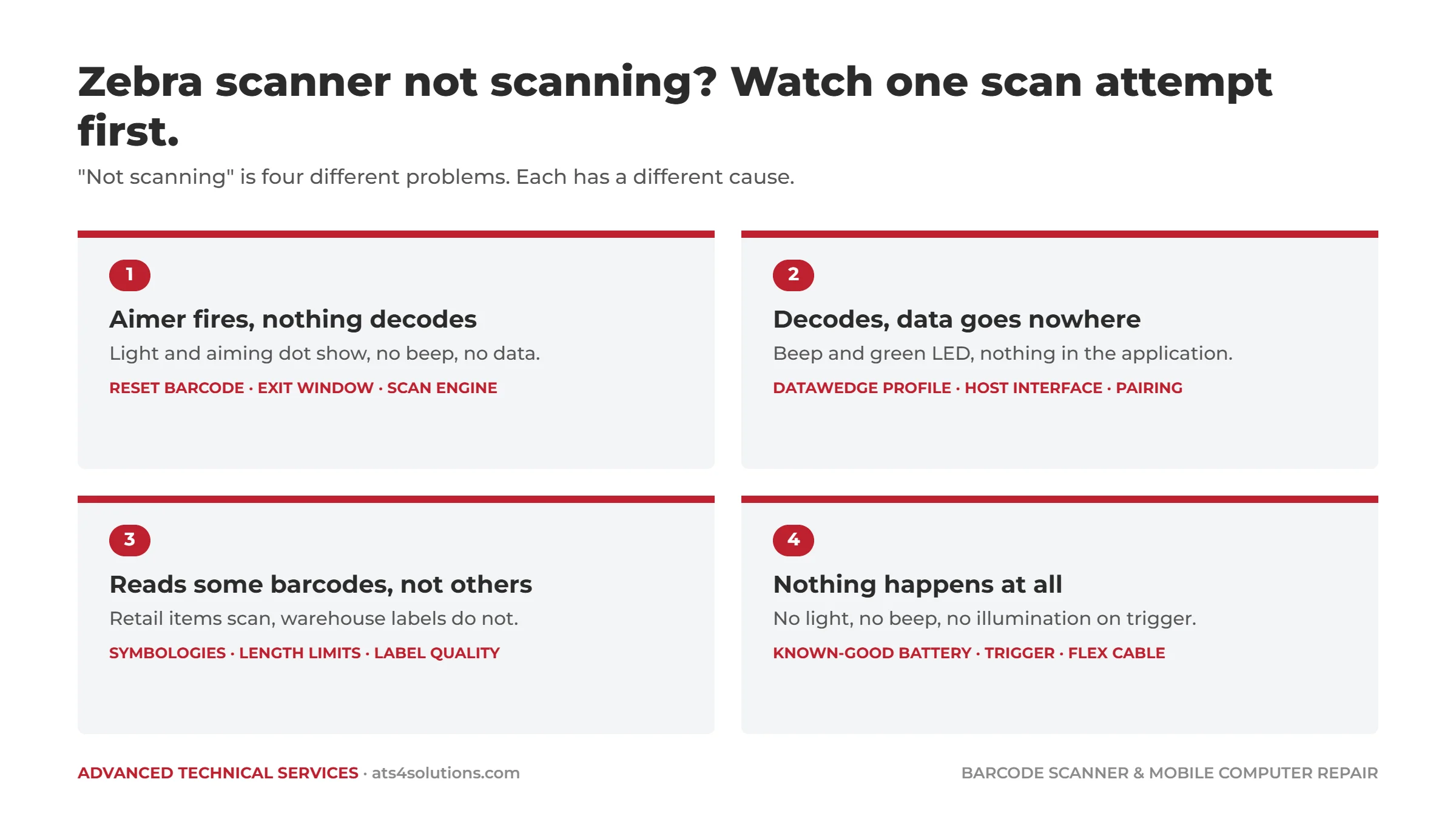
"Not scanning" describes four different problems. Watch the device for one scan attempt and note which of these you have:
- The aimer or illumination fires, nothing is decoded. The light comes on, the beam or aiming dot shows, but no beep and no data.
- It decodes, but the data goes nowhere. You hear the beep and see the green LED, but nothing appears in the application.
- It reads some barcodes and not others. Retail items scan, your warehouse labels do not, or the reverse.
- Nothing happens at all. No light, no beep, no illumination when the trigger is pulled.
Each of those points at a different cause, and the first three usually have a free fix.
| What the scanner does | Most likely cause | Try this first | Needs a bench if |
|---|---|---|---|
| Aimer fires, nothing decodes | Configuration, dirty exit window, or failed scan engine | Scan the factory-default barcode; clean the exit window | It cannot read the reset barcode either |
| Beeps, but no data appears | DataWedge profile or host interface setting | Check the DataWedge profile for your app; re-pair cordless scanners | A charged, freshly paired device still drops data |
| Reads some barcodes, not others | Symbology or length limit disabled; poor label print | Enable the symbology; test a known-good label | Never; this is almost always configuration |
| No light, no beep at all | Worn battery, trigger, flex cable or scan engine | Swap in a known-good, charged battery | A good battery makes no difference |
Already worked through the free fixes and the scanner still will not read? Request a repair quote and tell us the model and what it is doing.
How to fix a Zebra scanner that will not scan: five free checks
1. Restart it properly, then try an enterprise reset
Start with the fix that costs nothing and clears the most faults. On the Android models (TC5x, TC7x, TC8300, MC9300, WT6300) hold the power button and choose Restart. On the older Windows CE and Windows Mobile units (MC9090, MC9190, MC92N0, TC8000) a warm boot is the power key; a cold boot on the MC9090 and MC9190 is the power key held together with the 1 and 9 keys.
If a restart does not clear it, the next step on an Android device is an Enterprise Reset from the Settings menu. Zebra designed this specifically for fleet devices: it returns the operating system to defaults while preserving the enterprise partition, so your staged applications and configuration survive. A full Factory Reset wipes everything and should be a last resort, and only after you have confirmed you can re-stage the device.
This is where a lot of "hard reset a Zebra scanner" searches end. If the device scans after the reset, you had a software fault. Done.
2. Check DataWedge and the scanner profile
A disabled or misconfigured DataWedge profile is the fault behind most Zebra Android devices that beep but put nothing on screen. On Zebra Android devices, the scanner does not talk to your application directly. A Zebra service called DataWedge captures the decode and passes it to whichever app is in the foreground, according to a profile.
If DataWedge has been disabled, if the profile for your application was never created, if the profile's input or output has been switched off, or if the app is not associated with the profile, the scanner will decode perfectly and deliver the data nowhere. Open DataWedge, confirm it is enabled, open the profile for your app, and confirm both the Barcode Input and Keystroke Output (or Intent Output, depending on how your app was built) are switched on.
For tethered and cordless handheld scanners, the equivalent is the host interface configuration: a scanner set to the wrong interface, or a Bluetooth scanner paired to the wrong host, will read barcodes and send them to a device that is not listening.
3. Scan the reset barcode from the configuration guide
Every Zebra scanner and scan engine ships with a set of configuration barcodes in its Product Reference Guide, including one that returns the scanner to factory defaults. Print it, hold the device at normal reading distance, and scan it.
This does two things. If the device reads the reset barcode, your optics and scan engine are working, which rules out the expensive faults in one step. And if the problem was a configuration error, the reset just fixed it.
If it reads the reset barcode but still will not read your labels, go to step 4. If it will not read the reset barcode either, go to step 5.
4. Check which symbologies are enabled
A scanner that reads some barcodes and not others is almost never a hardware fault. Zebra scanners can be configured to ignore specific barcode types, and it is common for a device to arrive with Code 128, Interleaved 2 of 5 or GS1 DataBar disabled because the previous deployment never used them. Compare the barcode type on the labels that fail against the enabled symbologies in the scanner configuration (DataWedge on Android, the configuration guide barcodes on handheld scanners) and enable what is missing.
Two related checks while you are there: the minimum and maximum length settings for that symbology, and whether the label itself is the problem. A poorly printed or faded label will fail on a working scanner, which is a printer question, not a scanner question. Our guide to Zebra printers producing faded, streaked or blank labels covers that side.
5. Inspect the exit window and try a known-good battery
Turn the device over and look at the scan exit window under a light. Years of contact with shelving, pallets and conveyor edges will scratch and fog the window enough to stop a read, particularly on 2D imagers, which need a clear image rather than a reflected laser. Clean it with a lint-free cloth and an alcohol wipe. Deep scratching is a bench repair, but it is a cheap one.
Then swap in a battery you know is good. A battery near the end of its life can power the screen and still fail to deliver enough current for the scan engine and illumination to fire, which looks exactly like a dead scanner. On Android models, Zebra's battery manager reports health as a percentage; anything below 80 percent is a battery to replace, not a device to repair.
Which Zebra scanner faults need a repair bench?
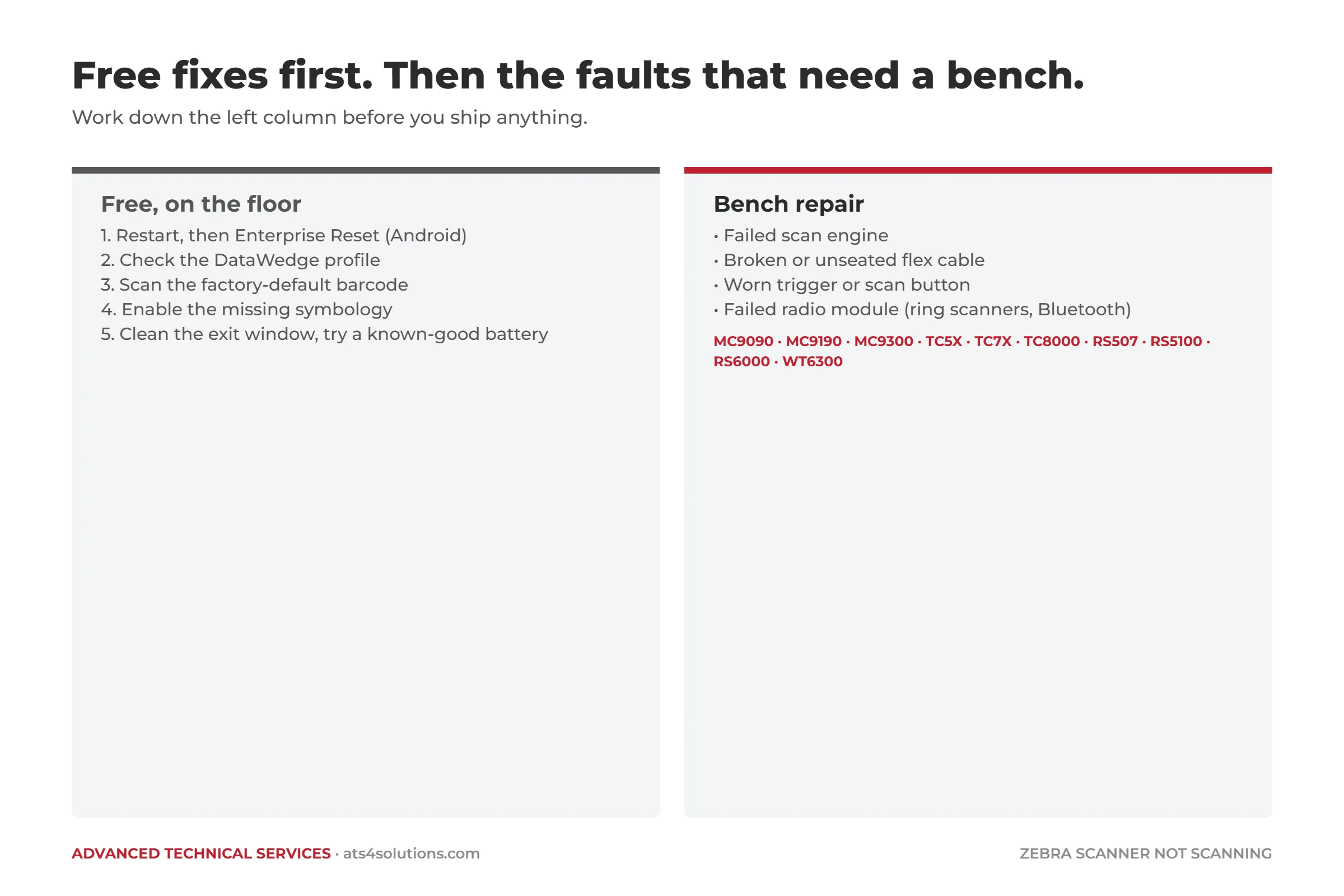
If you have worked through the list above and the scanner still will not read, one of these is the likely cause. None of them recovers on its own.
Failed scan engine
The scan engine is the sealed optical module behind the exit window that contains the imager or laser, the illumination and the decoder. When it fails, the symptom is usually a clean one: the aimer fires, or it does not, and nothing decodes regardless of the barcode. On older units the laser can also become weak or intermittent before it fails completely. Engine replacement is one of the most common repairs we do on the MC9090, MC9190, TC8000 and RS507, and on most models it is a straightforward job.
Broken or unseated flex cable
The engine connects to the main board through a ribbon flex cable, and on gun-style devices that cable moves slightly every time the trigger is pulled. On a device that has been dropped, the cable can partially unseat; on a high-cycle device it fatigues and cracks. The tell-tale sign is intermittent scanning that improves or worsens when the device is squeezed, twisted or tapped. A flex cable repair is a minor bench job. Left alone, it becomes a scan engine replacement when the cable finally shorts.
Trigger or scan button failure
On the TC8000, TC8300 and the MC9xxx series, the trigger is a mechanical switch rated for a very large number of pulls, and warehouses reach that number. A worn trigger registers some pulls and not others. If the on-screen scan button or the side scan keys work but the trigger does not, the trigger assembly is the fault, not the engine.
Radio module or pairing hardware
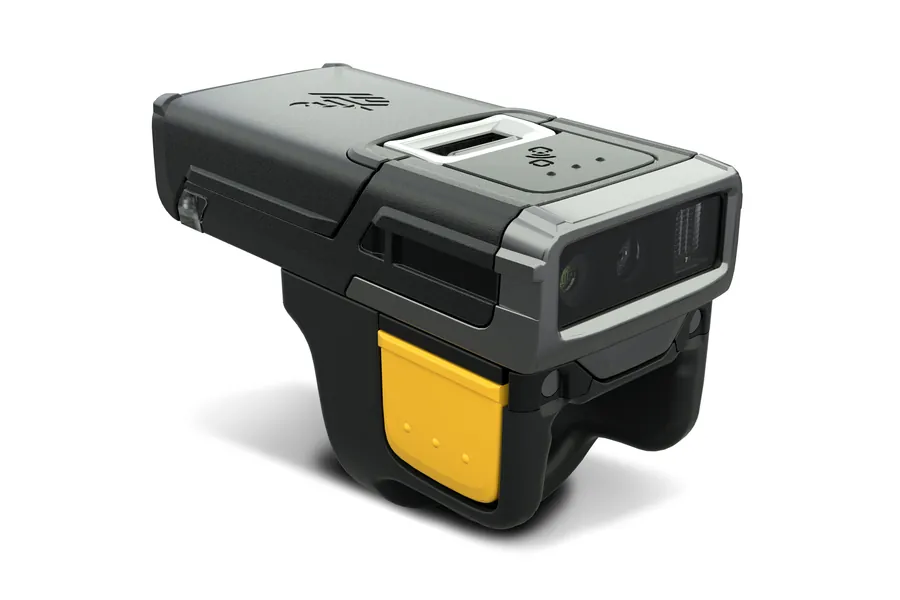
On the RS507, RS5100 and RS6000 ring scanners and on Bluetooth handhelds, a device that decodes but cannot deliver data may have a radio fault rather than a scanner fault. Re-pair first: scan the pairing barcode on the host terminal with a fully charged battery, because a low battery will connect and drop repeatedly in a way that looks like a pairing failure. If a charged, freshly paired ring still drops, the radio module or its antenna connection has failed. That is a bench repair.
Scan engine, flex cable, trigger or radio fault?
These are the repairs our technicians do every week on Zebra MC9000-series, TC5x, TC7x, TC8000 and RS ring scanners, including models Zebra no longer supports. Send us the model and serial number and a short description of what the device is doing, and we will come back with a quote.
Zebra scanner models covered in this guide
The checks and repairs above apply to every Zebra model on our scanner repair page. This table shows where to start for each one.
| Zebra model | Type | Start with | Bench repair if |
|---|---|---|---|
| MC9090, MC9190 | Rugged gun-style mobile computer (Windows Mobile / CE) | Restart and cold boot, reset barcode, symbologies, battery | Scan engine, flex cable or trigger fault |
| MC92N0 | Rugged gun-style mobile computer (Windows or Android) | Restart and reset, DataWedge on Android units, symbologies, battery | Scan engine, flex cable or trigger fault |
| MC9300 | Rugged gun-style mobile computer (Android) | Enterprise Reset, DataWedge, symbologies, battery | Scan engine, flex cable or trigger fault |
| TC51, TC52, TC57, TC70, TC72, TC77 | Touch mobile computer (Android) | Enterprise Reset, DataWedge, symbologies, battery | Scan engine, flex cable or scan button fault |
| TC8000, TC8300 | Warehouse mobile computer (Android) | Enterprise Reset, DataWedge, symbologies, battery | Scan engine, flex cable or trigger fault |
| RS507, RS5100, RS6000 | Hands-free ring scanner, paired to a host | Charged battery, then re-pair, then clean the exit window | Radio module, scan engine or trigger fault |
| WT6300 | Wearable computer (Android), host for RS ring scanners | Enterprise Reset, DataWedge, re-pair the ring | Radio or pairing hardware fault |
Is it worth repairing an end-of-life Zebra scanner?
Two questions decide this.
Is the device still covered? A manufacturer warranty typically runs twelve months from shipment and covers defects, not wear and not accidental damage. If a service contract was purchased with the device and is still active, use it. If the device is out of warranty, or the contract lapsed or was never bought, independent depot repair is the practical route.
Has the manufacturer stopped supporting it? This is the question that matters most on the models listed above. The TC52, TC57, TC72, TC77 and MC9300 reached end-of-life in 2024 and 2025, and the MC9090, MC9190, MC92N0, TC51, TC70 and TC8000 were discontinued well before that. End-of-life means the manufacturer has stopped repairing, updating and supporting the device. It does not mean the device has stopped working. A very large installed base of these units is still on warehouse floors doing exactly the job they were bought for, and a scan engine, flex cable or trigger repair typically costs a fraction of the replacement device, without the re-staging, re-training and application testing that a new model brings with it. Extending the life of discontinued devices is the core of our Zebra scanner repair work.
The devices where the calculation flips are the ones with cumulative damage: a cracked housing, a failing keypad and a worn trigger on the same unit. At that point we will tell you, because a repair quote that is not worth accepting is not worth sending.
When you have run out of free fixes
If the scanner still will not read after the steps above, you have done the diagnosis a technician would do first. What is left is a physical fault, and those are the jobs our bench handles every week on the models in this guide.
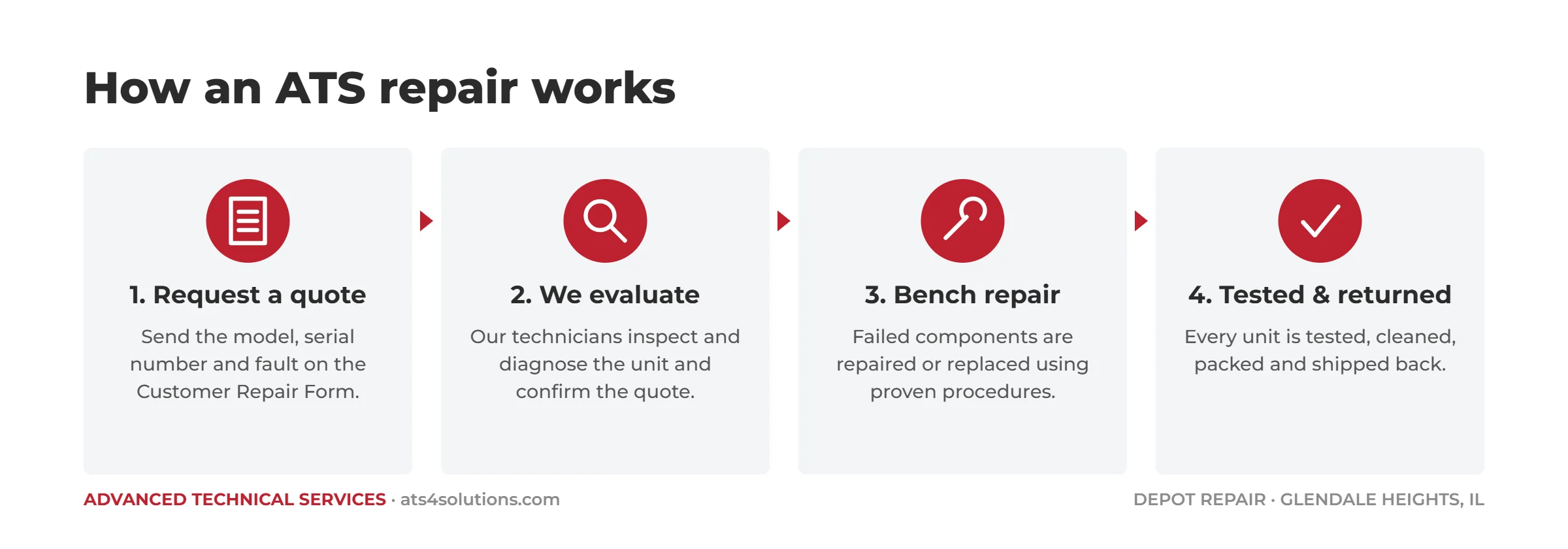
Our Zebra barcode scanner and mobile computer repair page lists every model and series we support, with the faults we see most on each.
Get your Zebra scanner back in service
Fill out our Customer Repair Form with the model and serial number, which of the four behaviours it is showing, and what you have already tried. Single units and full fleets are both welcome. We will tell you what the fault most likely is, what the repair involves, and what it will cost.
Frequently asked questions
Why is my Zebra scanner not scanning?
Most Zebra scanners that power on but will not scan have a configuration fault, not a hardware one. Restart the device and run an Enterprise Reset, check the DataWedge profile, scan the factory-default barcode, confirm the symbology is enabled, and try a known-good battery. If it still will not read, the scan engine, flex cable, trigger or radio module has failed and needs a bench repair.
Why is my Zebra scanner beeping but not entering data?
The scanner is decoding but the data is not reaching your application. On Zebra Android devices this is almost always a DataWedge profile problem: the service is disabled, the profile for your app is missing, or its input or output is switched off. On cordless scanners it is usually a pairing or host interface setting.
How do I hard reset a Zebra scanner?
On Android models, restart first, then use Enterprise Reset from Settings, which keeps your staged apps. A Factory Reset wipes the device. On handheld scanners and older Windows Mobile units, scan the factory-default barcode from the Product Reference Guide, or use the documented cold-boot key combination for that model.
Why does my Zebra scanner read some barcodes but not others?
It is almost never broken. Check which symbologies are enabled and the length limits set for them. Also check the label: a faded or poorly printed label fails on a working scanner.
Why does my Zebra barcode scanner do nothing when I pull the trigger?
Try a known-good, fully charged battery first. If a good battery makes no difference, the trigger switch, the flex cable or the scan engine has failed, and the device needs a bench.
Can an end-of-life Zebra scanner or mobile computer still be repaired?
Yes. End-of-life means the manufacturer has stopped supporting the device, not that parts and repairs are unavailable. Out-of-warranty and end-of-life equipment is the majority of what reaches our depot.
Why is my Zebra scanner light on but not scanning?
If the aimer or illumination fires but nothing decodes, the cause is configuration, a dirty exit window, or a failed scan engine. Scan the factory-default barcode: if it reads, the engine works and the problem is a setting such as a disabled symbology. If nothing reads, including the reset barcode, on a clean window, the scan engine needs a bench repair.
Why won't my Zebra ring scanner pair or stay connected?
Charge the battery fully first, because a low battery connects and drops repeatedly in a way that looks like a pairing failure. Then scan the pairing barcode on the host terminal. If a charged, freshly paired RS507, RS5100 or RS6000 still drops, the radio module or its antenna connection has failed, and that is a bench repair.
What is the difference between an Enterprise Reset and a Factory Reset on a Zebra device?
An Enterprise Reset clears user data but keeps the enterprise partition, where staged apps and configuration are normally stored, so the device comes back ready to use. A Factory Reset erases everything, including the enterprise partition, and the device has to be staged again. Try the Enterprise Reset first.
Which Zebra scanners and mobile computers does ATS repair?
We repair the Zebra MC9090, MC9190, MC92N0 and MC9300; the TC51, TC52, TC57, TC70, TC72 and TC77; the TC8000 and TC8300; the RS507, RS5100 and RS6000 ring scanners; and the WT6300 wearable, including models Zebra no longer supports. See our Zebra barcode scanner repair page for the full list.
Sources: Zebra Technologies, About DataWedge (TechDocs).
Last reviewed September 2026 by the ATS repair team.
Advanced Technical Services has repaired industrial electronics from its Glendale Heights, Illinois facility since 1981, and is ISO 9001 certified. We repair barcode scanners, mobile computers, ring scanners and thermal label printers from Zebra, Honeywell, Datalogic, Intermec and Symbol for customers nationwide.